Shape the brief
Start in ordinary language with the story, mood, audience, format, and references that matter.
Flova AI turns a loose concept into a sequence you can shape: define the intention, bring in references, guide each scene, and refine the cut without leaving the same creative workspace. It is built for people who want speed without handing over their taste.
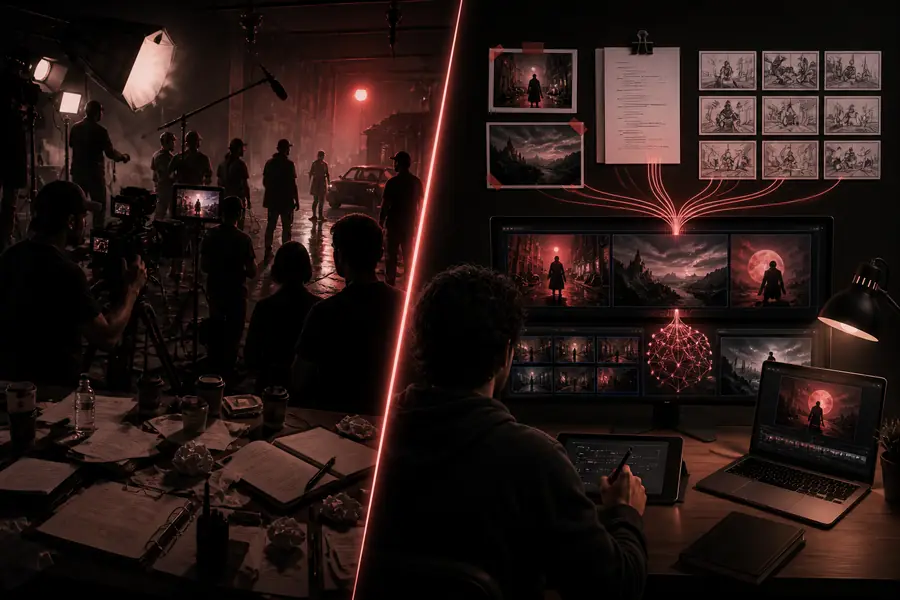
The short version
Describe the outcome. Keep control of the decisions that make it yours.
Flova AI is most useful when the creative direction matters as much as the generated footage. The system helps organize production rather than replacing the person directing it.
Start in ordinary language with the story, mood, audience, format, and references that matter.
Move from a broad idea to scenes, shots, assets, and model choices without losing the through-line.
Comment on what is wrong, revise the affected part, and carry the strongest decisions into export.
Why the workflow feels different
A useful video generator needs more than a render button. Flova AI connects the decisions around generation so that a creator can move quickly while still seeing where the result came from.
Creators can compare the strengths of available video models inside the same project instead of rebuilding a prompt in several disconnected tools.
Try a multi-model brief in Flova AIImages, visual examples, and style cues can anchor the generation. That gives the video generator more context than a text-only request.
Build a reference-led video conceptPlanning, asset creation, shot generation, and revisions live in one flow. Flova AI helps preserve continuity as the project gets more detailed.
Turn a storyboard into a working flowA first render is a starting point, not a verdict. Comments and targeted changes let you improve a scene without throwing away the entire direction.
Direct a revision with Flova AIWhat changes in practice
The value of a video generator is not only how quickly it produces pixels. It is how much useful creative work remains visible, editable, and reusable after the first result appears.
Start broad
Let Flova AI organize the intent before you spend time perfecting a single shot.
Get specific
Use references, scene notes, and comments to narrow the output around what matters.
Finish deliberately
Choose the strongest takes, polish the pacing, and export with the intended use in mind.
Honest edges
Flova AI can compress a lot of production work, but it does not remove creative judgment or the underlying limits of generative video. Knowing the edges makes the workflow more reliable.
Motion, hands, small text, and complex interactions may drift between generations, especially when a shot asks for several difficult actions at once.
Workaround: split the moment into simpler shots and revise the one visual issue that matters most.
The generator can suggest images and motion, but it cannot decide what your story should mean or which compromise serves your audience.
Workaround: define the emotional beat, visual reference, and intended viewer before asking for variations.
Different models have different strengths in realism, stylization, camera movement, duration, and consistency. One setting will not suit every scene.
Workaround: match the model to the shot, then keep the surrounding direction consistent.
A polished result still needs a human check for pacing, continuity, sound, rights, legibility, and the requirements of its final channel.
Workaround: treat the final pass as editorial quality control, not an optional afterthought.
Before you begin
Use this quick comparison to understand where Flova AI fits, then start with a brief that gives the system enough creative context to help.
| Attribute | Flova AI workspace | Disconnected tool chain |
|---|---|---|
| Natural-language direction | Yes | Partial |
| Reference-led planning | Yes | Varies |
| Multi-scene continuity | Supported | Manual |
| Model selection | Centralized | Separate tools |
| Targeted revisions | Comment-driven | Rebuild often |
| Reusable creative assets | Library-ready | Scattered |
| Human review | Still required | Still required |
Start with the outcome rather than a list of camera commands. Explain the subject, mood, audience, format, and references, then let Flova AI help turn that direction into scenes you can inspect.
The workspace is designed to bring model choices into the same production flow. The practical choice still depends on the scene: realism, motion, style, consistency, and duration may favor different tools.
No. Flova AI can propose, organize, and revise generated material, but the creator remains responsible for the story, taste, approvals, rights, and final edit.
Review continuity, unwanted artifacts, readable text, music and voice rights, brand accuracy, aspect ratio, captions, and whether the finished cut meets the requirements of its destination.